The 5-Shot Product Demo System: Turn Home Organization Ideas Into Shoppable Videos That Sell Your Amazon Finds
A neat shelf can look satisfying. But a satisfying video does more than show the finished space: it helps a shopper see whether an organizing product will solve their problem.
That’s the difference between a pretty clip and a useful product demonstration. Show the starting mess, how the product works, and what changes when you use it. Give viewers enough context to make a confident decision.
Use this five-shot system to turn practical home organization ideas and Amazon finds into clear, helpful shoppable videos. No elaborate set required. Just one real problem, one product, and a sequence that proves what the product can do.
Start with a problem worth demonstrating
Choose an organizing product that addresses a specific, visible frustration: a crowded drawer, hard-to-reach pantry items, or bathroom essentials that keep getting lost. Then narrow the video to one use case.
Avoid trying to demonstrate an entire room or several unrelated products at once. A focused video makes it easier for viewers to understand the product and for you to tag the item that’s actually featured.
Before filming, write down:
- The problem: What is difficult or inefficient right now?
- The product: What are you demonstrating?
- The proof: What can you show the product doing?
- The limitation: Is there a size, fit, or use-case detail shoppers should know?
Keep claims observable. Show that a bin slides forward or a divider keeps items separated; don’t promise that every viewer will save a set amount of time or achieve the same result.
The 5-Shot Product Demo System
Film each shot as its own short clip. Keep the phone steady, use bright natural light where possible, and capture a close-up when a feature is hard to see from across the room.

Shot 1: Show the problem
Open on the space as it is, not an unrelated title card. Show the drawer that jams, the products stacked at the back of the shelf, or the toiletries that are hard to find.
Add one plainspoken line of context: “These packets kept sliding behind everything,” or “I couldn’t reach the items at the back.” Keep it specific and brief. Viewers should recognize the problem before the product appears.
Film: A clear wide shot of the area. Add a quick detail shot if the problem is easier to understand up close.
Shot 2: Reveal the product and its scale
Show the product itself. Capture its shape, compartments, moving parts, and what comes in the package if that helps explain how it works. Include a familiar size reference, such as the drawer or shelf where it will go.
Don’t rely on a product label or listing photo to communicate scale. A shopper needs to see how the item relates to an actual home space.
Film: One close-up, then one view that shows the product in context. Mention dimensions only if you’ve verified them against the listing or measured them yourself.
Shot 3: Show setup and fit
Demonstrate assembly, placement, adjustment, or installation from start to finish. If the product doesn’t need assembly, show how it fits into the space and how you load it.
This is where small details can answer big questions: Does the divider move? Does the bin sit flush? Can you still open the drawer? Avoid jumping straight from packaging to a finished setup. Let the viewer see the relevant steps.
Film: Keep the camera fixed for the setup, then capture a close-up of any important adjustment or connection.
Shot 4: Prove it in use
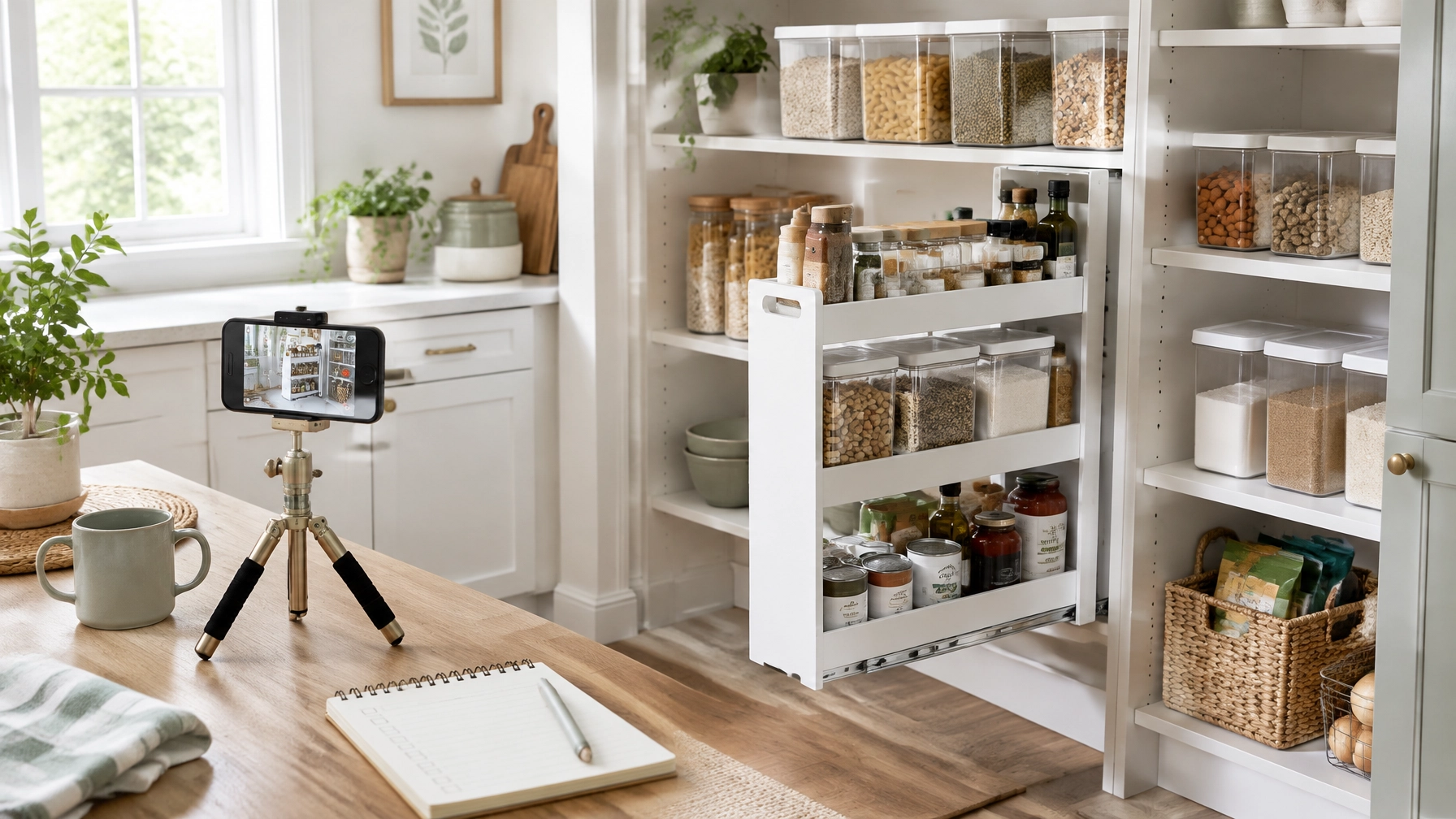
Now show the product doing the job. Slide the pantry bin out and return it. Separate items with the drawer dividers. Open and close the organizer. Demonstrate the feature a shopper would need to trust before buying.

Let the action remain visible long enough to understand. If a product’s main benefit is easier access, show the motion, not only the still arrangement afterward. Amazon’s guidance encourages creators to demonstrate products in use and share personal insights. Check the latest Amazon Shoppable Video guidance before publishing, since platform rules and features can change.
Shot 5: Show the result, and answer one question
Finish with the organized space. Match the opening angle if you can, so viewers can compare before and after without guessing. Then answer the most relevant buyer question: How much does it hold? Does it fit this drawer? Is it easy to clean? Does it take up more room than expected?
Mention a genuine limitation when there is one. A product that works well for one shelf depth may not suit another. Clear context builds more trust than a sweeping claim.

Turn the five shots into one clear video
Arrange the clips in order: problem, product, setup, proof, result. Add a short voiceover or speak naturally while filming. Explain what you tried and what you observed; don’t read the listing aloud.
For a simple 45–75-second edit, aim for a few seconds on the opening problem, enough time to show setup and use, and a concise result. Treat that timing as a starting point, not a platform requirement. Amazon recommends videos of at least 30 seconds for its high-quality bar, but review current upload guidance in your account before you post.
Use a title that describes the item or the use case. Tag only the product clearly shown or discussed, and choose a thumbnail that makes the product and its purpose easy to recognize. Follow Amazon’s current Shoppable Video dos and don’ts. Its guidance includes avoiding slideshow-style videos, time-sensitive price or deal claims, and requests for viewers to leave Amazon.
If you’re an Amazon Influencer, make sure your account is eligible to upload and review your current storefront and video requirements. The Amazon Associates help page provides program information. Approval, placement, and earnings are not guaranteed; check your dashboard for the latest status.
A simple script to keep beside the camera
Use this as a guide, not a word-for-word ad:
“This drawer was hard to keep organized because [specific problem]. I’m trying [product]. Here’s how it fits, and here’s how I set it up. Watch how it works when I [demonstration]. The useful difference for me is [observable result]. One thing to check before buying is [fit or limitation].”
That structure gives viewers a reason to watch, shows the product in action, and leaves space for an honest detail that helps them decide.
Measure performance without guessing
Don’t assume a video will increase affiliate clicks by a particular percentage. Use your own baseline. Record the date, product, video length, opening shot, views, and available clicks or earnings. Compare similar videos over time, changing one element, such as the opening problem or thumbnail, so you can learn what may be helping.
Also measure the organizing result honestly. If easier access is the goal, time how long it takes to find a frequently used item before and after organizing. As an illustration, saving 90 seconds per task across 20 tasks in a week would equal 30 minutes. That’s a calculation to test in your own routine, not a promised product outcome.
Make the next demo easier
Save the five shots as a reusable checklist. Film the product reveal, setup, and use in one session, then capture the opening problem and finished result. That gives you a repeatable process for your next set of Amazon finds without making every video feel identical.
For more examples of practical product storytelling, explore Kimberly Millionaire and the Amazon storefront. Pick one organizing product, set up your phone, and film the five shots. Show the problem. Prove the product. Let the result speak.